
 UK
UK




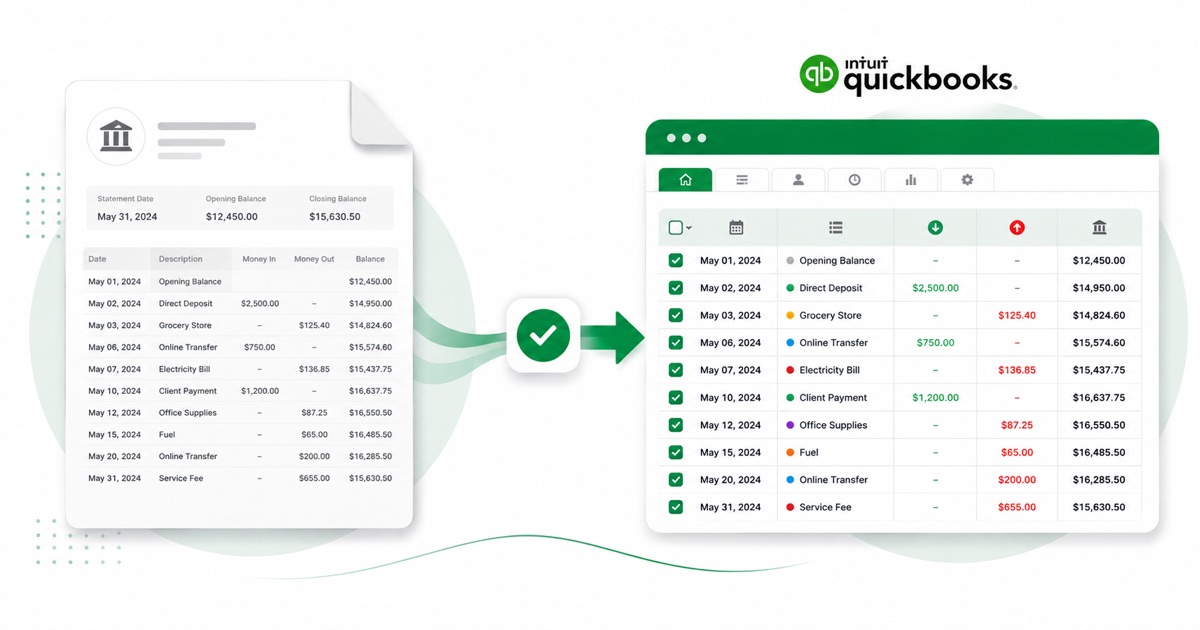
About Santander statements
Santander UK is the British arm of the Spanish Santander group and a familiar high-street name here. You grab the statement PDF from Online Banking, under the account's Statements & documents — same as you would for any branch-based account.
Santander tucks a payment-type label — card payment, Direct Debit, standing order or Faster Payment — inside the description column before the payee. That's exactly the detail that gets scrambled when you paste a PDF into a spreadsheet, and exactly what the converter preserves, column by column.
Currency stays GBP (pounds) and the DD/MM/YYYY dates carry straight through, exactly as they appear on the statement. Scanned or photographed PDFs work too: OCR reads them into the same columns, and the running balance is checked before anything downloads.
What lands in QuickBooks is a clean, checked file — so the only thing left is the reconciling you'd do anyway.
Why people convert Santander to QuickBooks
When you're cleaning up QuickBooks or taking on a new client, there are usually Santander months with no feed behind them. A converted file fills those in under Upload from file, instead of keying each transaction.
It also saves the back-and-forth at year end. Instead of asking a client for a CSV their Santander login may not even offer, you take the PDF they already have and convert it, so the numbers in QuickBooks match the statement line for line.
Import a Santander statement into QuickBooks
QuickBooks Online takes a CSV; QuickBooks Desktop takes a .qbo Web Connect file.
- Convert the PDF above. For QuickBooks Online download the QuickBooks CSV; for Desktop download the QBO.
- QuickBooks Online: Banking → Bank transactions → Link account → Upload from file.
- Pick the CSV, map Date / Description / Amount, choose the account, and import.
- QuickBooks Desktop: File → Utilities → Import → Web Connect Files, then select the .qbo.
infoOne honest caveat
The QBO file carries a placeholder bank id, so QuickBooks Desktop can reject it with an OL-301 error ("not a participating financial institution") until you set your own bank's id. For a reliable import, use the QuickBooks CSV in QuickBooks Online instead — we don't claim the QBO will import everywhere.
The totals are checked first
The totals are checked before you download. If a row is missing, the statement gets flagged right here — so a gap shows up before it reaches QuickBooks or your client, not after.
Frequently asked questions
How does the Santander export get into QuickBooks?expand_more
In QuickBooks Online the CSV imports cleanly under Banking → Upload from file. The Desktop QBO can hit an OL-301 error ("not a participating financial institution") until you set your own bank's id — so for Online, stick with the CSV.
What does a Santander statement look like?expand_more
Santander tucks a payment-type label — card payment, Direct Debit, standing order or Faster Payment — inside the description column before the payee. The converter reads each of those into its own column, so the QuickBooks-ready file imports into QuickBooks cleanly.
Where do I download the Santander statement?expand_more
From Online Banking, under the account's Statements & documents. Save the PDF, then drop it into the converter above — multi-page and multi-month statements are read in one go.
Does it work on a scanned Santander statement?expand_more
Yes. Scanned or photographed PDFs are read with OCR into the same columns, and the balance check still runs, so a scan converts the same as a digital download.
What does it cost to start?expand_more
Converting is free to start. Excel, CSV and JSON download with no login; the QuickBooks file needs a free sign-in.