
 US
US




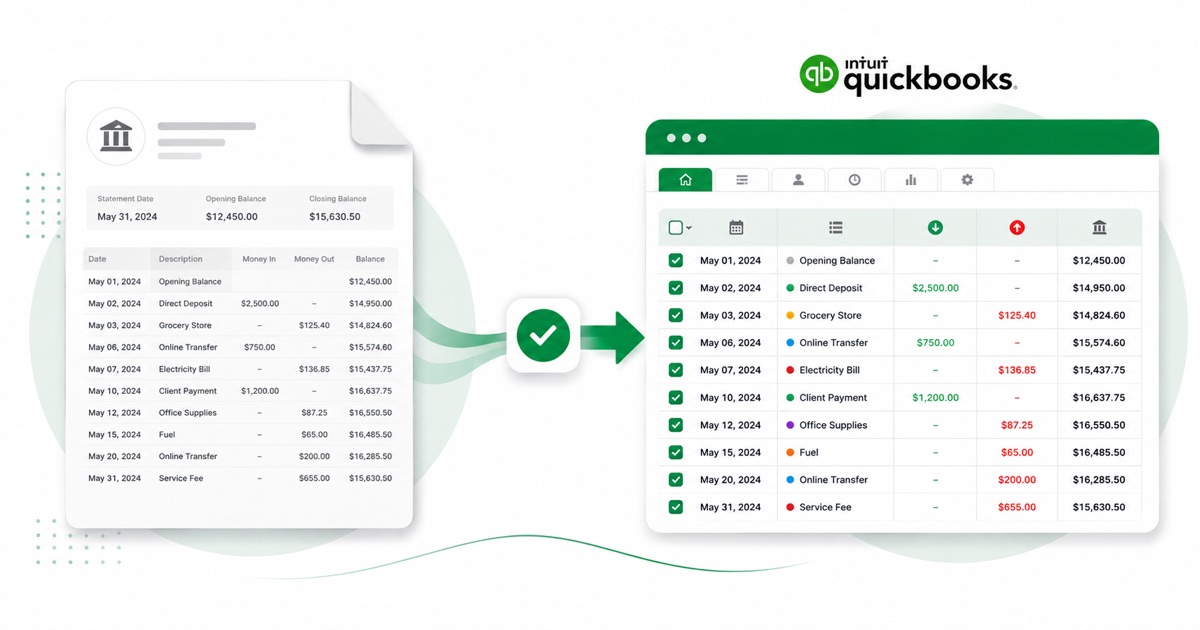
About Mercury statements
Mercury is a business banking platform aimed at startups, so its statements are usually for company accounts rather than personal ones. Download the statement PDF from the dashboard, under the account's Statements; that's the file an accountant will want as data, not a dashboard export.
It helps to know how the statement is put together. A Mercury statement can cover several sub-accounts, each keeping its own balance, and virtual-card transactions carry the merchant detail. A plain PDF export flattens that structure; the converter keeps each piece in its own column.
Amounts stay in USD (US dollars) and dates keep the MM/DD/YYYY order — no quiet day/month swaps on the way out. A scanned statement is no problem; it's read with OCR into the same layout, with the balance checked either way.
From there it's a normal QuickBooks import: the heavy lifting of reading the PDF is already done.
Why people convert Mercury to QuickBooks
Not every Mercury account is worth wiring a live feed to — a closed account, a rarely-used one, a single month you need on file. Converting the PDF is quicker than connecting a feed for a one-off, and it imports the same way.
It's handy mid-year too, not just at catch-up. A one-off Mercury account, a statement the feed skipped, or a closed account you still need on file — convert the PDF and it goes into QuickBooks like any other import.
Import a Mercury statement into QuickBooks
QuickBooks Online takes a CSV; QuickBooks Desktop takes a .qbo Web Connect file.
- Convert the PDF above. For QuickBooks Online download the QuickBooks CSV; for Desktop download the QBO.
- QuickBooks Online: Banking → Bank transactions → Link account → Upload from file.
- Pick the CSV, map Date / Description / Amount, choose the account, and import.
- QuickBooks Desktop: File → Utilities → Import → Web Connect Files, then select the .qbo.
One honest caveat
The QBO file carries a placeholder bank id, so QuickBooks Desktop can reject it with an OL-301 error ("not a participating financial institution") until you set your own bank's id. For a reliable import, use the QuickBooks CSV in QuickBooks Online instead — we don't claim the QBO will import everywhere.
The totals are checked first
Before the QuickBooks-ready file downloads, the running balance is checked end to end. A missing or doubled line is caught at this step, not after it's already in QuickBooks.
Frequently asked questions
Will the Mercury file import into QuickBooks?
In QuickBooks Online the CSV imports cleanly under Banking → Upload from file. The Desktop QBO can hit an OL-301 error ("not a participating financial institution") until you set your own bank's id — so for Online, stick with the CSV.
What's on a Mercury statement?
A Mercury statement can cover several sub-accounts, each keeping its own balance, and virtual-card transactions carry the merchant detail. The converter reads each of those into its own column, so the QuickBooks-ready file imports into QuickBooks cleanly.
Where do I download the Mercury statement?
From the dashboard, under the account's Statements. Save the PDF, then drop it into the converter above — multi-page and multi-month statements are read in one go.
Does it work on a scanned Mercury statement?
Yes. Scanned or photographed PDFs are read with OCR into the same columns, and the balance check still runs, so a scan converts the same as a digital download.
Do I have to pay up front?
Converting is free to start. Excel, CSV and JSON download with no login; the QuickBooks file is included with every paid plan, starting with Starter.