
 IN
IN




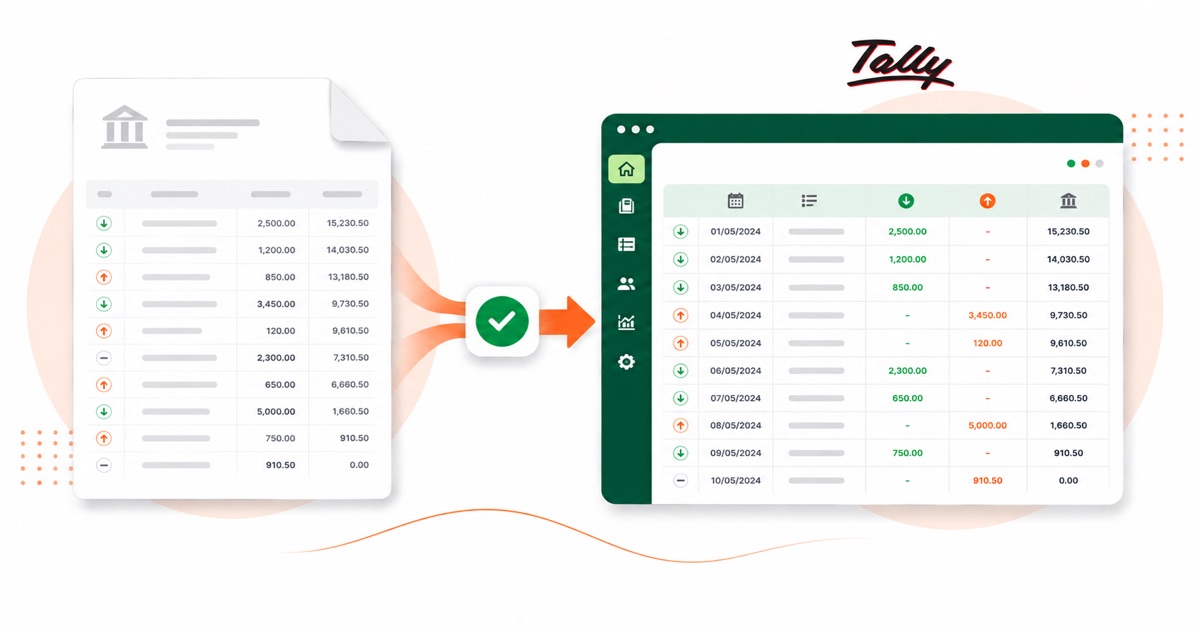
About ICICI statements
ICICI Bank is one of India's largest private banks, and its e-statement PDF is locked with a password by default. The file you want is the official statement PDF from ICICI Internet Banking, where the e-statement downloads as a password-protected PDF, not a printed mini-statement or a transaction search.
The part a copy-paste can't handle is the layout. ICICI writes everything into a Transaction Remarks column that mixes card, UPI and NEFT detail, and the download is a password-locked PDF. The converter reads all of that into its own columns instead of losing it.
The figures keep their INR (rupees) values and the DD/MM/YYYY date order. You'll enter the PDF password once, in the browser, and then it converts like any other statement. A photo or scan of the statement converts as well: OCR lifts the figures into columns and the totals are reconciled before download.
From there it's a normal Tally import: the heavy lifting of reading the PDF is already done.
Why people convert ICICI to Tally
For Indian businesses on Tally, an ICICI statement usually means a stack of vouchers to enter. Converting it loads them as balanced Receipt and Payment vouchers in a single import, so you only deal with the ledger mapping.
It's handy mid-year too, not just at catch-up. A one-off ICICI account, a statement the feed skipped, or a closed account you still need on file — convert the PDF and it goes into Tally like any other import.
Import an ICICI statement into Tally
Tally Prime imports the XML as Receipt and Payment vouchers.
- Convert the PDF above and download the Tally XML.
- In Tally Prime: Gateway of Tally → Import Data → Vouchers.
- Select the XML file.
- Map the bank and counter ledger when asked — they must exist in your company.
One honest caveat
The file uses placeholder ledger names (your bank ledger and a "Suspense" counter). Those ledgers must exist in your Tally company, or be mapped on import, for it to post cleanly. The vouchers are valid, balanced double entries; the ledger choices are yours.
The totals are checked first
Before the Tally XML downloads, the running balance is checked end to end. A missing or doubled line is caught at this step, not after it's already in Tally.
Frequently asked questions
Does the XML load straight into Tally Prime?
Yes — it imports as Receipt and Payment vouchers under Gateway of Tally → Import Data → Vouchers. You map the bank and counter ledger on import, and those ledgers need to already exist in your company.
What does an ICICI statement look like?
ICICI writes everything into a Transaction Remarks column that mixes card, UPI and NEFT detail, and the download is a password-locked PDF. The converter reads each of those into its own column, so the Tally XML imports into Tally cleanly.
How many months can I convert at once?
Whatever you download in one PDF from ICICI Internet Banking, where the e-statement downloads as a password-protected PDF. A multi-month e-statement converts in a single pass, and the balance is checked across the whole file.
The ICICI e-statement asks for a password. Is that a problem?
Yes. You enter the password once and it's opened in your browser — the file isn't uploaded anywhere to be opened. After that it converts like any other statement.
Is it free?
Converting is free to start. Excel, CSV and JSON download with no login; the Tally file is included with every paid plan, starting with Starter.