
 IN
IN




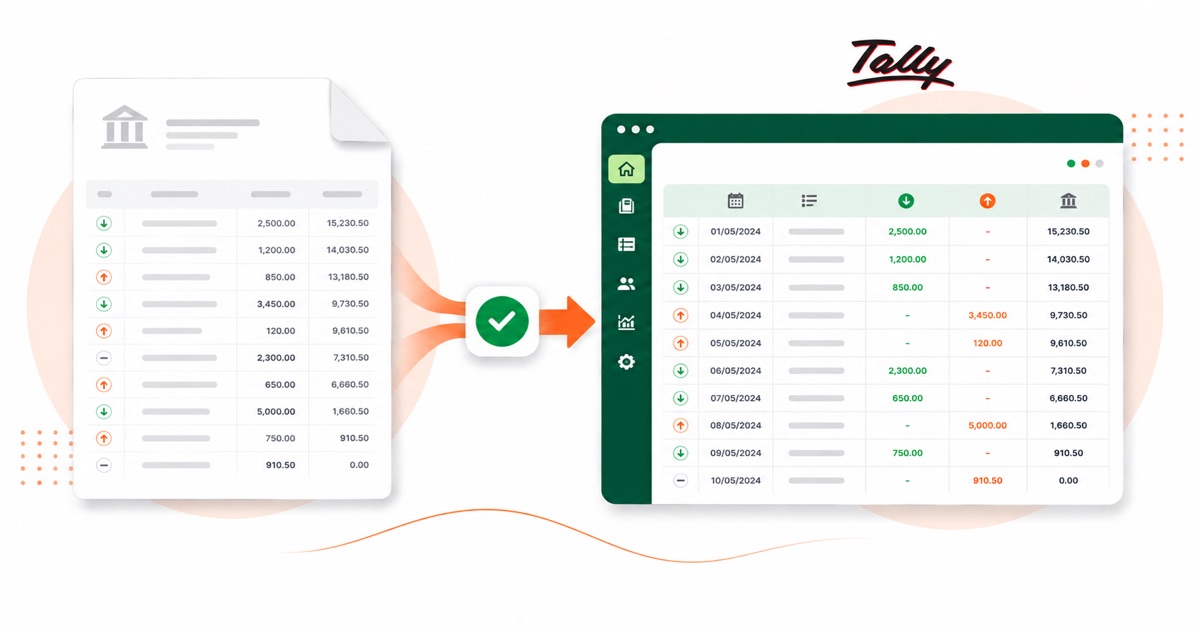
About Kotak statements
Kotak Mahindra Bank is a large Indian private bank, and like its peers it sends the e-statement as a password-protected PDF. Whether you bank in branch or online, the statement is the same monthly PDF, downloaded from Kotak Net Banking, where the e-statement downloads as a password-protected PDF.
The part a copy-paste can't handle is the layout. Kotak's statement leans on UPI narration with distinct Dr and Cr columns, and the e-statement comes password-protected. The converter reads all of that into its own columns instead of losing it.
Everything stays in INR (rupees) with DD/MM/YYYY dates. The password-protected e-statement is unlocked in your browser with the password you set — nothing is uploaded to be opened. If all you have is a printed copy you've scanned, that's fine — OCR reads it, and the balance is still checked at the end.
After that you're just reconciling in Tally; the awkward part of getting the data out of the PDF is handled.
Why people convert Kotak to Tally
Keying a month of Kotak transactions into Tally one voucher at a time is slow and easy to fumble. Converting the statement turns the whole month into Receipt and Payment vouchers you import in one go, then map to your ledgers.
For anyone reconciling Kotak against Tally after the fact, the value is in not retyping. You keep the original PDF as your source, convert it, and reconcile the imported lines — the figures stay tied back to the statement.
Import a Kotak statement into Tally
Tally Prime imports the XML as Receipt and Payment vouchers.
- Convert the PDF above and download the Tally XML.
- In Tally Prime: Gateway of Tally → Import Data → Vouchers.
- Select the XML file.
- Map the bank and counter ledger when asked — they must exist in your company.
One honest caveat
The file uses placeholder ledger names (your bank ledger and a "Suspense" counter). Those ledgers must exist in your Tally company, or be mapped on import, for it to post cleanly. The vouchers are valid, balanced double entries; the ledger choices are yours.
The totals are checked first
Every file is reconciled first: opening balance plus money in, minus money out, should land on the closing balance. If it doesn't, you see it here instead of finding out inside Tally.
Frequently asked questions
Does the XML load straight into Tally Prime?
Yes — it imports as Receipt and Payment vouchers under Gateway of Tally → Import Data → Vouchers. You map the bank and counter ledger on import, and those ledgers need to already exist in your company.
What does a Kotak statement look like?
Kotak's statement leans on UPI narration with distinct Dr and Cr columns, and the e-statement comes password-protected. The converter reads each of those into its own column, so the Tally XML imports into Tally cleanly.
How many months can I convert at once?
Whatever you download in one PDF from Kotak Net Banking, where the e-statement downloads as a password-protected PDF. A multi-month e-statement converts in a single pass, and the balance is checked across the whole file.
Can it open a password-locked Kotak statement?
Yes. You enter the password once and it's opened in your browser — the file isn't uploaded anywhere to be opened. After that it converts like any other statement.
Do I have to pay up front?
Converting is free to start. Excel, CSV and JSON download with no login; the Tally file is included with every paid plan, starting with Starter.