
 IN
IN




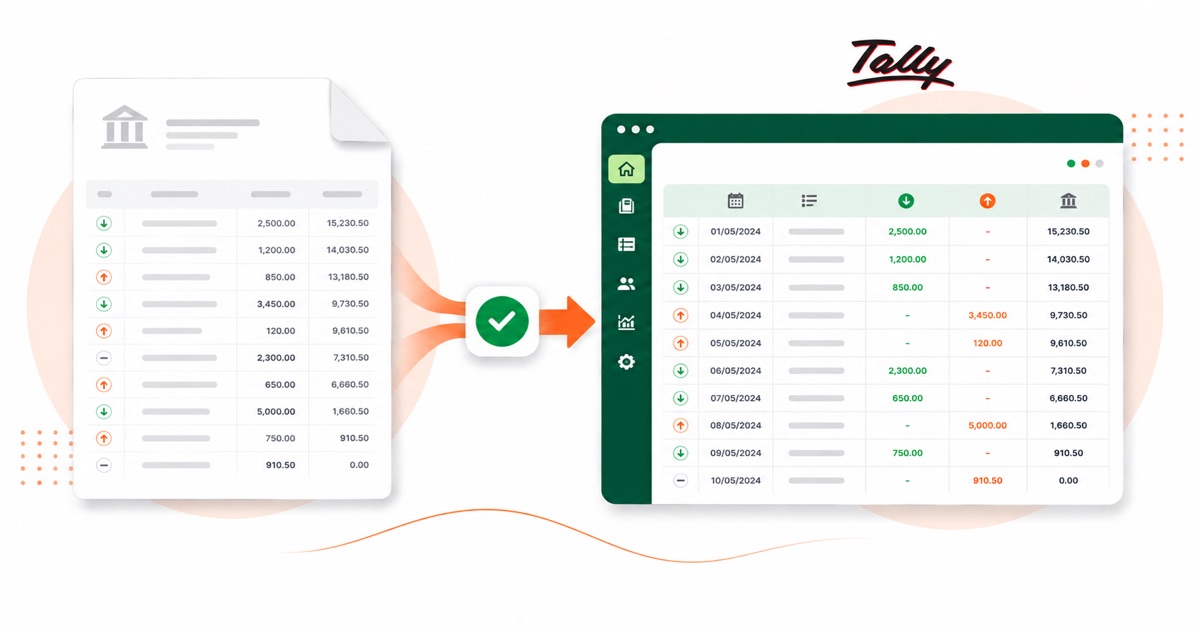
About SBI statements
SBI (State Bank of India) is the country's largest bank by far, and its e-statement PDF comes locked with a password you set. For a high-street account like this, the statement is a normal monthly PDF you pull from OnlineSBI Net Banking, where the e-statement downloads as a password-protected PDF.
It helps to know how the statement is put together. An SBI statement pairs a transaction date with a separate value date on every line, and the e-statement downloads as a password-locked PDF. A plain PDF export flattens that structure; the converter keeps each piece in its own column.
Dates on the statement read as DD/MM/YYYY and amounts are in INR (rupees). The e-statement comes password-protected — you type that password in once and it's opened right here in your browser, so the file isn't sent off anywhere to be opened. Even a scanned or photographed statement is fine; OCR reads it into the same columns, and the balance check still runs.
From there it's a normal Tally import: the heavy lifting of reading the PDF is already done.
Why people convert SBI to Tally
Keying a month of SBI transactions into Tally one voucher at a time is slow and easy to fumble. Converting the statement turns the whole month into Receipt and Payment vouchers you import in one go, then map to your ledgers.
The common case is a bookkeeper handed a folder of SBI PDFs and told to "get these into Tally." Converting each one is far quicker than retyping, and the balance check means you trust the totals before they land in the books.
Import an SBI statement into Tally
Tally Prime imports the XML as Receipt and Payment vouchers.
- Convert the PDF above and download the Tally XML.
- In Tally Prime: Gateway of Tally → Import Data → Vouchers.
- Select the XML file.
- Map the bank and counter ledger when asked — they must exist in your company.
One honest caveat
The file uses placeholder ledger names (your bank ledger and a "Suspense" counter). Those ledgers must exist in your Tally company, or be mapped on import, for it to post cleanly. The vouchers are valid, balanced double entries; the ledger choices are yours.
The totals are checked first
The converter checks the maths before handing you the file — so if a transaction dropped out of the PDF, you know about it now, not when the Tally balance is off.
Frequently asked questions
How does an SBI statement get into Tally?
Yes — it imports as Receipt and Payment vouchers under Gateway of Tally → Import Data → Vouchers. You map the bank and counter ledger on import, and those ledgers need to already exist in your company.
What does an SBI statement look like?
An SBI statement pairs a transaction date with a separate value date on every line, and the e-statement downloads as a password-locked PDF. The converter reads each of those into its own column, so the Tally XML imports into Tally cleanly.
How many months can I convert at once?
Whatever you download in one PDF from OnlineSBI Net Banking, where the e-statement downloads as a password-protected PDF. A multi-month e-statement converts in a single pass, and the balance is checked across the whole file.
Can it open a password-locked SBI statement?
Yes. You enter the password once and it's opened in your browser — the file isn't uploaded anywhere to be opened. After that it converts like any other statement.
What does it cost to start?
Converting is free to start. Excel, CSV and JSON download with no login; the Tally file is included with every paid plan, starting with Starter.